


Legacy EASE Diagnostics and OBD2.com support resources
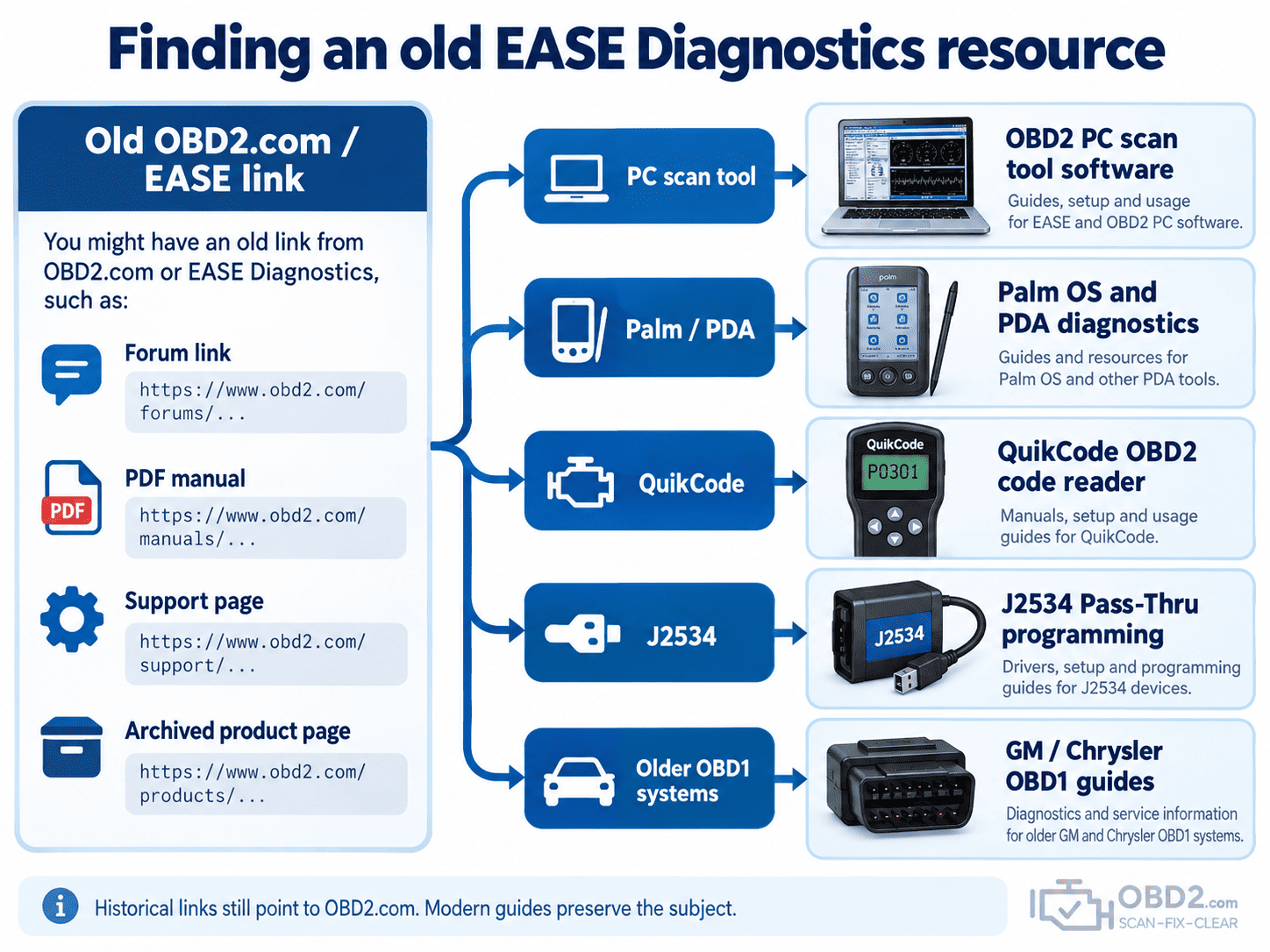
If you arrived here through an old automotive forum, technical PDF, workshop document or software manual, you may have followed a link that originally pointed to an earlier version of OBD2.com.
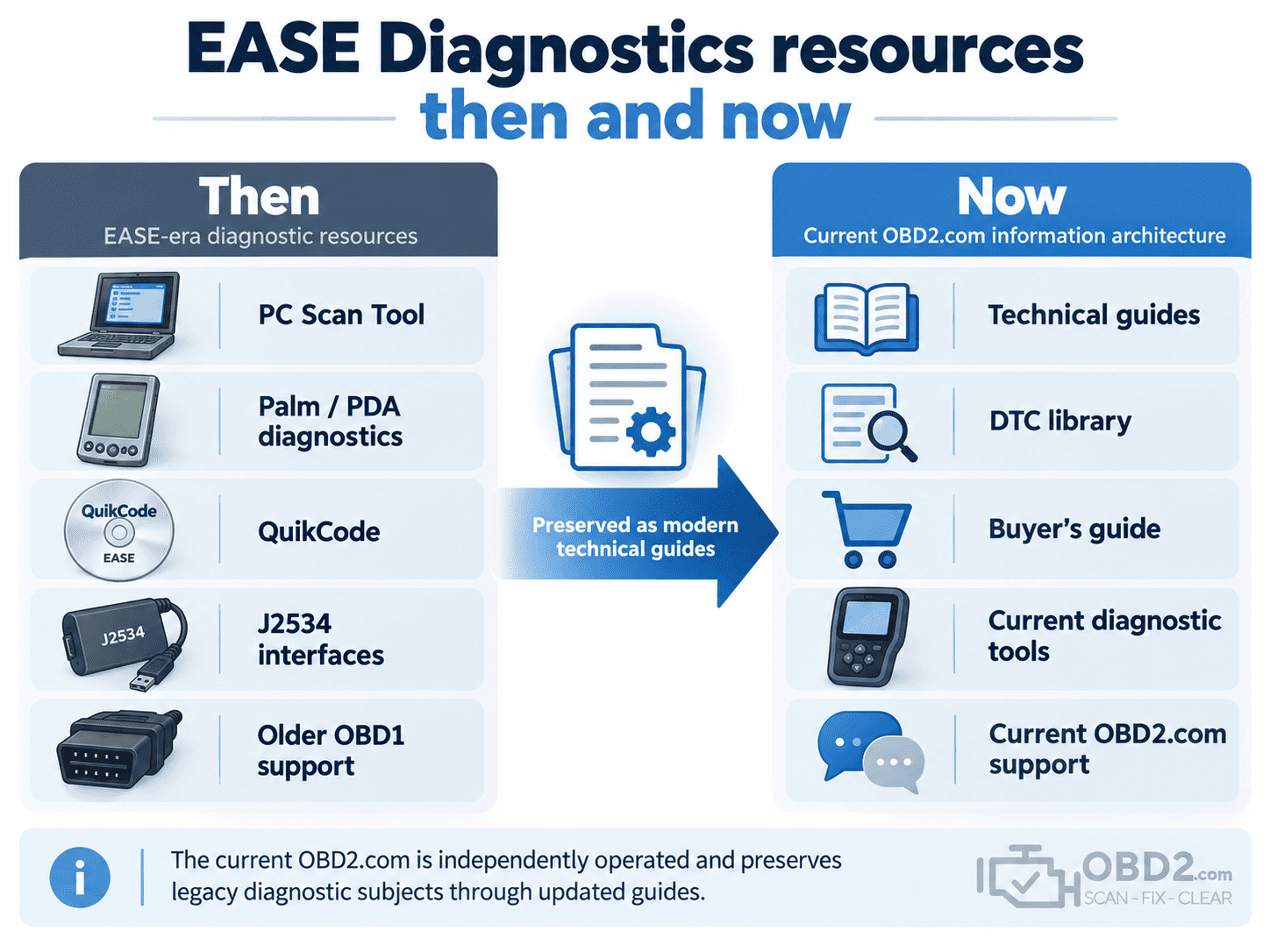
For many years, the domain was associated with EASE Simulation / EASE Diagnostics and hosted information about PC-based scan tools, Palm and PDA diagnostics, QuikCode, J2534 Pass-Thru programming, vehicle interfaces and older manufacturer-specific diagnostic systems.
Those original product and support pages are no longer part of the current OBD2.com website.
Rather than redirecting every historical URL to the homepage, we have preserved the subjects behind many of those links and created current technical guides where the information is still useful.
The current OBD2.com does not provide software activation, licensing, warranty service, discontinued downloads or official technical support for historical EASE Diagnostics products. The resources below are provided for technical and historical reference.
Why old EASE links still lead to OBD2.com
Automotive technical content can remain online for decades.
A forum post written in the early 2000s may still point to an EASE manual. A workshop PDF may contain a link to an old PC Scan Tool support page. Another site may reference a Palm application, QuikCode manual or manufacturer-specific diagnostic cable.
The original pages may have disappeared, but the external links often remain.
That is why this section of OBD2.com exists: to give those historical references a meaningful destination instead of sending visitors to an unrelated homepage or a generic 404 page.
PC-based EASE diagnostic software
If your original link concerned an EASE PC Scan Tool, laptop-based diagnostics or a vehicle interface connected to a Windows computer, start with our OBD2 PC scan tool software guide.
It explains how computer-based diagnostic systems worked, why PC software was useful for graphing and data logging, and how that architecture relates to modern diagnostic interfaces.
Palm OS and PDA diagnostic tools
EASE also appeared during the era when Palm OS handheld computers were being used as portable diagnostic displays.
If the old link mentioned Palm, PDA diagnostics, HotSync or handheld diagnostic software, see our Palm OS and PDA OBD2 diagnostic guide.
The concept is surprisingly close to today’s smartphone diagnostics: a handheld computer runs the application while a separate interface communicates with the vehicle.
QuikCode OBD2 code reader
If you were looking for an old QuikCode product page, software reference or user manual, see the QuikCode OBD2 code reader legacy guide.
That page explains what the product was designed to do and how its basic code-reading functions compare with modern OBD2 scanners.
J2534 Pass-Thru and vehicle programming
Some historical OBD2.com links concerned SAE J2534 interfaces, manufacturer programming software and ECU reflashing.
The technology is still relevant today, so we maintain a current J2534 Pass-Thru programming guide explaining the relationship between the PC, OEM software, Pass-Thru interface and vehicle.
Older GM and Chrysler diagnostics
Other legacy EASE resources related to vehicles built before standardized OBD2.
We have preserved separate technical guides for two of the most common historical subjects:
- GM OBD1 diagnostics and ALDL — older General Motors diagnostic connectors, ALDL communication and scan-tool compatibility.
- Chrysler OBD1 diagnostics — SCI, CCD, PCI and manufacturer-specific Chrysler diagnostic systems.
These guides are particularly useful when an old connector adapter is found online and it is tempting to assume that a modern OBD2 scanner will automatically work with it.
What if you were looking for an old download?
Some historical links point to executable installers, firmware files, drivers, software updates or PDF manuals that are no longer hosted on the current site.
We do not recreate or redistribute unknown legacy executables simply because an old filename survives in a forum or archived document.
Older diagnostic software can depend on specific Windows versions, serial drivers, license systems and proprietary vehicle interfaces. A file found on an unrelated download site may not be original, complete or safe.
When we can preserve the technical subject without distributing obsolete software, we prefer to provide an explanatory guide instead.
Looking for current OBD2.com information?
If your question is not about historical EASE equipment, use the current sections of OBD2.com.
- What is OBD2? for the basics of standardized vehicle diagnostics.
- OBD2 DTC library to search diagnostic trouble codes.
- OBD2 scanner buyer’s guide to choose the right level of diagnostic tool.
- Diagnostic tools and OBD2 scanners for current equipment.
Current product and order support
If your request concerns a product currently sold on OBD2.com, an order placed on the current website or another present-day support question, use the current OBD2.com contact page.
This keeps modern customer support separate from historical EASE product references.
Why preserving these pages matters
A broken legacy link is not always worthless.
In many cases, it represents a citation from an old workshop document, automotive forum, diagnostic manual or technical article that was useful enough for someone to reference years ago.
Where the subject is still relevant to automotive diagnosis, we prefer to preserve that context and point visitors toward current technical information.
This approach also makes the history of OBD2.com easier to understand: the domain has been associated with vehicle diagnostics since the early OBD-II era, although the current website is independently operated and is not presented as the legal continuation of EASE Diagnostics.
OBD2.com and EASE Diagnostics history
For a broader explanation of the domain, EASE Simulation / EASE Diagnostics and the transition to the current independently operated website, read the history of OBD2.com and EASE Diagnostics.
